VRChat ワールド
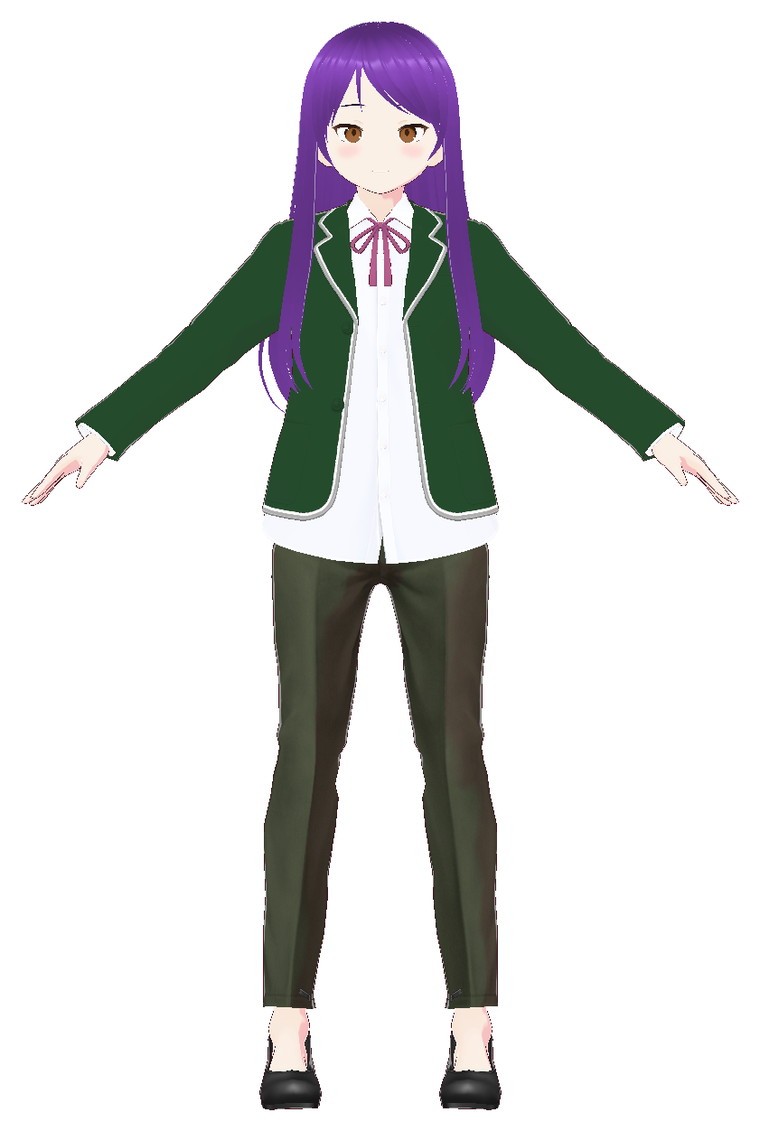
ベースモデルから NPC やアバターのバリエーションを量産。プリセット・髪・色・服を変えられます。
Open source · Windows · VRoid 2.16
Claude から VRoid Studio を操作し、プリセット・テクスチャ・色を変えながら複数のキャラクターを作成・VRM 書き出し。エディターを何度もクリックする必要はありません。Claude Code / Claude Desktop / MCP クライアントに対応。プロトコルの知識は不要です。
01用途
ベースモデルからレシピを繰り返す、具体的な使い方です。
ベースモデルから NPC やアバターのバリエーションを量産。プリセット・髪・色・服を変えられます。
キャラクター一覧から顔・髪・服・配色を揃えたキャストを作り、VRM を書き出します。
キャラクターや衣装のシリーズを、繰り返し使えるレシピで制作します。
02バッチ例
バッチはレシピです。ベースを選び、プリセット適用、テクスチャ/マテリアル変更、VRM 書き出しまでを実行します。ID とパスは自分の環境に置き換えてください。
vroid_batch operations=[
  {"tool":"vroid_apply_preset","args":{"id":"<preset-id>"}},
  {"tool":"vroid_colorize","args":{"group":"<group-id>","r":0.72,"g":0.42,"b":0.35}},
  {"tool":"vroid_export_vrm","args":{"path":"D:\\out\\npc_01.vrm","delete_transparent":true}}
]VRoid モデルを開き、変更する部位を決めます。
プリセット、色、テクスチャ、体型、カメラ。
バリエーションごとに VRM を出力します。
サンプルレシピです。結果はモデルと VRoid のバージョンによって変わります。
04仕組み
MCP 呼び出しが VRoid のコマンドになります。履歴・テクスチャ・プリセット・カメラ・VRM 書き出しに対応。ファイルを直接書き換えず、クラウドも使いません。
05機能
顔・体・服をセクション/カテゴリから選び、型付きの vroid_set_param で調整。
PNG の書き出し・再読み込み、色変更、透明部分を保った編集。
髪の色・手続き型ヘア・プリセット検索と共有サムネイル。
VRM 1.0 / 0.x、透明メッシュ削除、ポリゴン・マテリアル・ボーン削減をネイティブ出力で。
VRoid を最小化したまま編集・撮影・書き出し。常時バックグラウンド動作。
変更は VRoid の履歴に入り、Ctrl+Z で戻せます。保存前に状態を確認。
06ツール
ツール名と引数は英語です。この一覧は実際の MCP レジストリから生成しています。
| Tool | Purpose |
|---|---|
vroid_help | Show the built-in manual. Topics: overview, tools, lifecycle, export, framing, thumbnails, colors, outfit, sessions, errors, languages, batch. lang=e… |
vroid_status | Report whether VRoid Studio responds, whether a model is open, its current file, whether it has unsaved changes (dirty) and whether the editor is rea… |
| Tool | Purpose |
|---|---|
vroid_create | Create a new model from the VRoid template (female or male), like the Create New Model dialog. VRoid must be at the model-select screen (no model ope… |
vroid_open | Open a .vroid file and wait until the model is ready. VRoid must be at the model-select screen (no model open): save and call vroid_main_menu first i… |
vroid_save | Save the open model. With path: Save As (creates the file). Without path: save in place, only if the model already has a .vroid file. A model created… |
vroid_main_menu | Return to the model-select screen without quitting VRoid, so another model can be opened or created. Refuses when there are unsaved changes unless di… |
vroid_exit | Quit VRoid Studio gracefully. Refuses unsaved changes unless discard=true. The response is sent before the process exits; use it after a generation s… |
| Tool | Purpose |
|---|---|
vroid_export_vrm | Export the open model as a .vrm file with VRoid's own exporter, without clicks or file dialog (same options as the 'Export as VRM' screen). Options l… |
vroid_export_vrm_options | Open VRoid's export screen and return its current export settings and the available material / texture / atlas choices. Close it again with vroid_exp… |
| Tool | Purpose |
|---|---|
vroid_framing_get | Read thumbnail framing profiles per category/body part (e.g. Clothing/Tops, Clothing/Shoes, Hair, Face, VRoid/ClothingSet), never per individual garm… |
vroid_framing_set | Change the framing of a category/body part (e.g. Clothing/Tops, Clothing/Shoes, Hair, Face, VRoid/ClothingSet), never an individual garment: the over… |
vroid_framing_reset | Clear framing overrides (all, or one category/body part) and return to the committed defaults in config/framing.json. Local overrides live in preset_… |
| Tool | Purpose |
|---|---|
vroid_batch | Run several vroid_* operations sequentially in one MCP call and return a text summary plus optional images. Up to 200 operations, no nested batches,… |
| Tool | Purpose |
|---|---|
vroid_list_groups | List the editable groups of the open model (face, eyes, hair, body, outfits...). Each group has an id to pass to the other tools. |
vroid_sections | List editable sections and their categories (Face, Hairstyle, Body, Outfit, Accessories, Look), with group counts. High-level companion to vroid_list… |
vroid_categories | List categories in a section (or all categories), with category key, label, section and group count. Use with vroid_enter / vroid_set_param. |
vroid_enter | Select a section/category by name and return its group and enriched parameters (labels + stable section/category/key paths). Equivalent in spirit to… |
vroid_get_params | List the parameters of a group (blendshape sliders, bones, colors) with their current values. |
vroid_get_item_params | List every adjustable parameter of the model's items, including the shape sliders VRoid shows under Customize > Parameters for clothing and accessories (skirt tighter/wider/shorter/longer, sleeve thickness, width, length, hood...), which vroid_get_params does not return. Each group has 'pars' (regular parameters) and 'sliders' (key, label, value). Clothing sliders range 0..100 (not 0..1); the last word of the label says what they do (Narrow = tighter, Spread = wider, Short, Long...). Set one with vroid_set_blendshape group=<group> key=<slider key> value=<0..100>; undoable. 'type' filters by group type, e.g. TransferableGroupType.N00.Level1.Bottoms. |
vroid_set_param | Set a parameter by section/category and key or short label; dispatches to bone, blendshape or color. Accepts numbers, #RRGGBB or r,g,b for colors. Un… |
vroid_set_blendshape | Set a shape slider (blendshape) of a group. Undoable in VRoid (Ctrl+Z). |
vroid_set_bone | Set a bone transform parameter (body proportions, size...). |
vroid_set_color | Set a color (components 0..1). Undoable in VRoid. |
| Tool | Purpose |
|---|---|
vroid_list_layers | List the editable textures of a group (e.g. skirt = Bottoms): items (transferable), images and layers (node, name, opacity, visibility, blend mode).… |
vroid_colorize | Composite color pass: apply one color to both the global/material colors and the texture layers of a group (clothing or hair). target=global|texture|… |
vroid_recolor_layer | Recolor a texture layer in place, preserving transparency; undoable. mode 'multiply': light fabric -> target color while keeping shadows and folds. m… |
vroid_export_layer | Export a texture layer as PNG (RGBA) to edit it with another tool. |
vroid_import_layer | Import a PNG into a layer (same size as the export) or as a new layer. Undoable. |
| Tool | Purpose |
|---|---|
vroid_list_hair_materials | List hair materials (hair color is not exposed by vroid_get_params): id, name, adjustable colors (key + value) and textures with their layers (transf… |
vroid_set_hair_color | Set a color of a hair material (components 0..1). Undoable. 'base:<id>' keys are the overlay hair tint of a preset: change that key to recolor a pres… |
vroid_list_hair_groups | List hair groups: 'procedural' (adjustable length and strand count) or 'brush' (drawn strands: strand count, average length). |
vroid_set_procedural_hair | Set the length and/or strand count of a procedural hair group. Undoable. |
vroid_scale_brush_hair | Lengthen (factor > 1) or shorten (factor < 1) all strands of a brush hair group from their root. Undoable (one step per point). |
vroid_clone_brush_hair | Duplicate a group of brush strands and offset the copy (in meters, model space) to add strands. |
vroid_begin_hair_edit | Switch a hair material to texture editing (VRoid's Edit button): its texture becomes available to the layer tools. Useful for a preset hairstyle whos… |
| Tool | Purpose |
|---|---|
vroid_undo | Undo the last change in VRoid Studio. |
vroid_redo | Redo the last undone change. |
vroid_screenshot | Capture a clean 3D preview of the avatar (no VRoid UI) and return the image. MSAA 4x and SSAA 2x by default; width/height override the output size; c… |
| Tool | Purpose |
|---|---|
vroid_list_presets | List VRoid presets (hairstyles, faces, outfits, bodies...). filter searches the resource path (e.g. 'Hair', 'Tops', 'Bottoms', 'Onepiece', 'Shoes', '… |
vroid_apply_preset | Apply a preset (replaces the item in the same category, like clicking its thumbnail). Undoable. Whole-set presets can replace several slots: verify w… |
vroid_clothing_colors | List the adjustable colors of a clothing item (same preset): group + key to pass to vroid_set_color. |
vroid_begin_clothing_edit | Switch a preset clothing item to texture editing (like VRoid's Edit button): its layers become available to vroid_list_layers / vroid_recolor_layer.… |
vroid_apply_custom | Apply one of the user's custom items, like clicking it in VRoid's Custom tab: replaces the item in the same category. key = cache key (vroid_preset_c… |
vroid_remove_item | Remove an item from the model (clothing, accessory, shoes...). group = group id, or a short type to remove all groups of that type (Tops, Bottoms, On… |
vroid_preset_cache_search | Search the shared preset and custom-item cache (no VRoid needed): labels, descriptions, tags and colors (manual and auto-generated), plus the thumbna… |
vroid_preset_cache_annotate | Add or correct the label, description, tags and colors of a preset in the shared cache, for other AIs. A manual label overrides the generated one. Sh… |
vroid_preset_thumbnail | Return the thumbnail of a preset or custom item (image) to judge it without applying it: situation capture if available, otherwise VRoid's native ico… |
vroid_preset_cache_sync | Scan what VRoid currently exposes: built-in presets AND custom items (with the name given in VRoid). Reports new, changed (renamed custom item or new… |
vroid_preset_cache_build | Create situation thumbnails for a category (presets, or Custom/<slot> for custom items). Removes ALL clothes, accessories, underwear (including defau… |
| Tool | Purpose |
|---|---|
vroid_measure | Measure the current model height in cm (same as VRoid's size label) and its bounds. |
vroid_set_body_size | Set the height (cm) directly through the gender silhouette slider (FigureHeight/FigureSlender, proportions preserved), and optionally weight (kg), co… |
vroid_camera | Aim the VRoid 3D view at the model from another angle before a capture. action: get (state + preset rotations), angles (x,y in degrees), rotate (dx,d… |
vroid_face_preview | Expression preview for a capture (open mouth to show teeth, smile, wink...): set the weight (0..100) of face blendshapes whose name ends with name (e… |
07ロードマップ
提供済み、作業中、まだ提供していない研究を分けて示します。
現在 · 提供中
59 の MCP ツール、VRM 書き出し、バッチ、4 言語の Windows インストーラー(Python 3.12/numpy/Pillow 同梱)、DeepSeek Harness、VRoid 2.16 の初回読み込み対応、プリセットキャッシュ保護。
次 · 作業中
衣装テクスチャのレシピ、バッチプリセット、例とドキュメントの拡充。
研究 · 未提供
ComfyUI テクスチャ、専用 LoRA、コミュニティ評価。協力歓迎ですが、約束はしません。
08インストール
Windows と VRoid Studio 2.16 だけ。BepInEx 6 は NSIS インストーラーが導入し、Python 3.12、numpy、Pillow、プラグイン、MCP サーバーは同梱されています。
VRoid Studio と Claude Desktop を完全に終了します。
VRoidMcp-Setup-v<version>.exe を実行。4 言語対応、管理者権限不要。Claude Code / Desktop、DeepSeek Harness、BepInEx の再インストールを選択できます。
BepInEx 初回起動は 1〜2 分余分にかかります。その後 Claude Code / Desktop または DeepSeek Harness を再起動し、vroid_status を呼びます。
0.12 の新機能: 標準 Windows インストーラー、Python/numpy/Pillow の同梱、DeepSeek Harness 対応、VRoid 2.16 の安定性。
README · MCP reference · 最新リリースをダウンロード
エージェント向け英語リファレンス: 59 ツール、全パラメータ、物理設定、表情の制限
MIT ライセンス。ログ: %TEMP%\VRoidMcp-install.log。アンインストールは Windows の設定 → アプリ。